
Step 01 / 03
Language Selection
After scanning the QR code, guests choose their preferred language and open your menu.

KIREIOur SoftwareQR Digital Menu
City hotel
Serve your restaurant menu in seven languages via QR code, and keep it current by updating products, prices and images from the admin panel.
How it works
People, company and contact details in the screenshots are made up; logos are hidden. Click an image to enlarge it.
After scanning the QR code, guests choose their preferred language and open your menu.
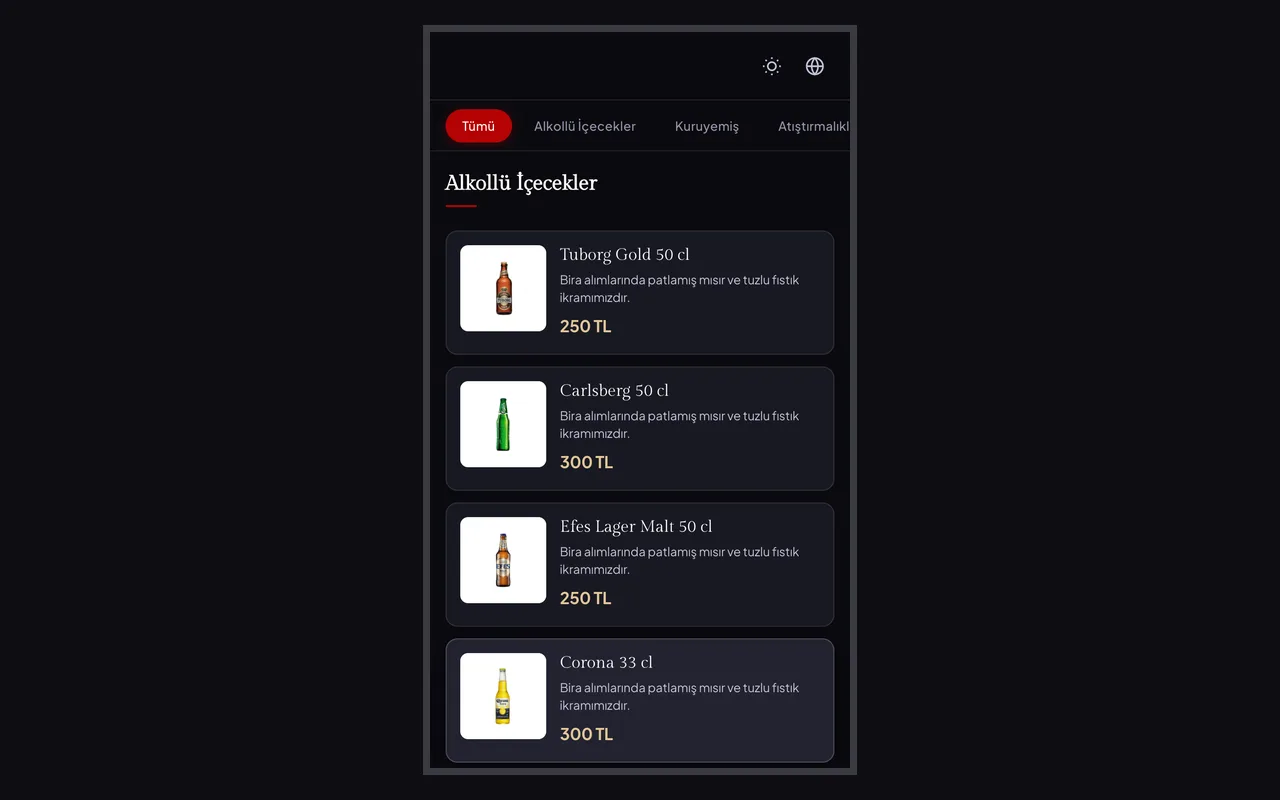
Products are organized into categories so the menu is easy to browse, with tabs at the top for switching quickly between categories.
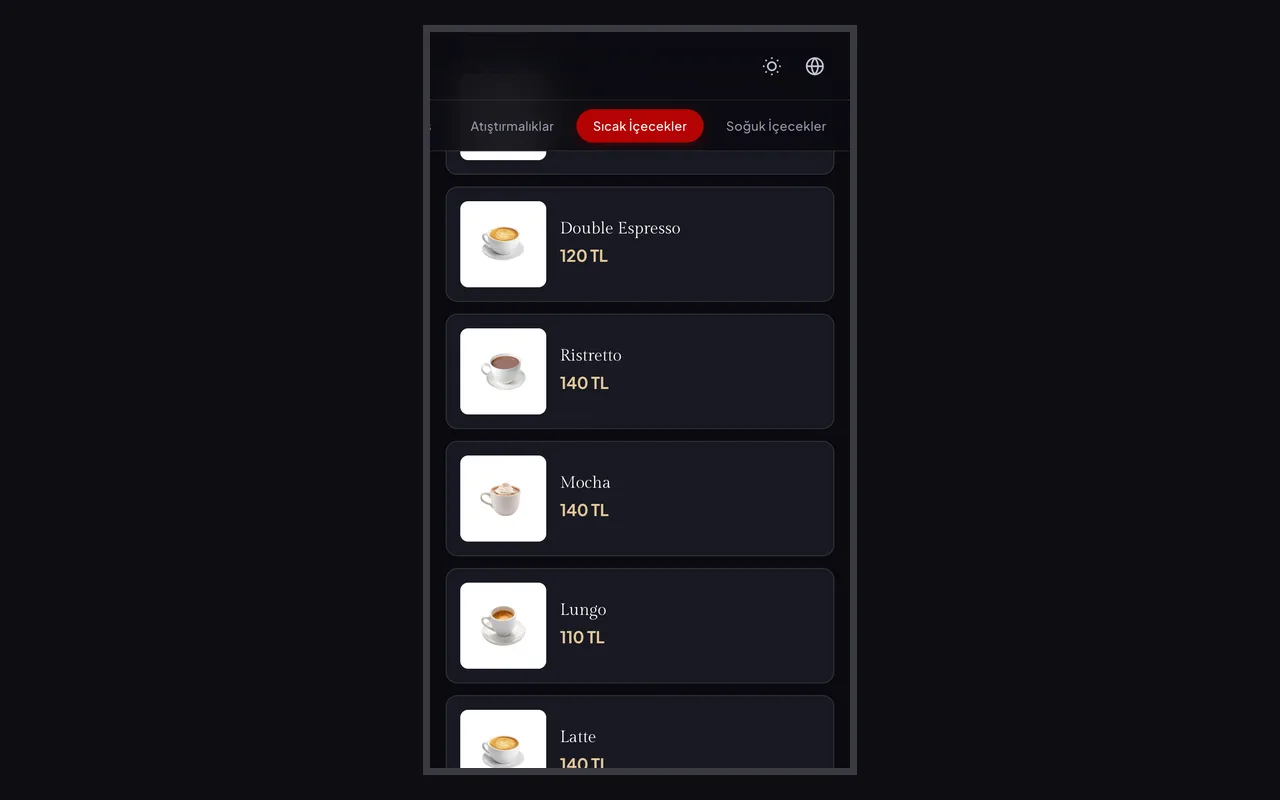
Products are shown with images, descriptions and prices. Changes made in the panel appear on the menu; there's no need to reprint the QR code.
Share your needs and we'll prepare a roadmap and proposal for you.